
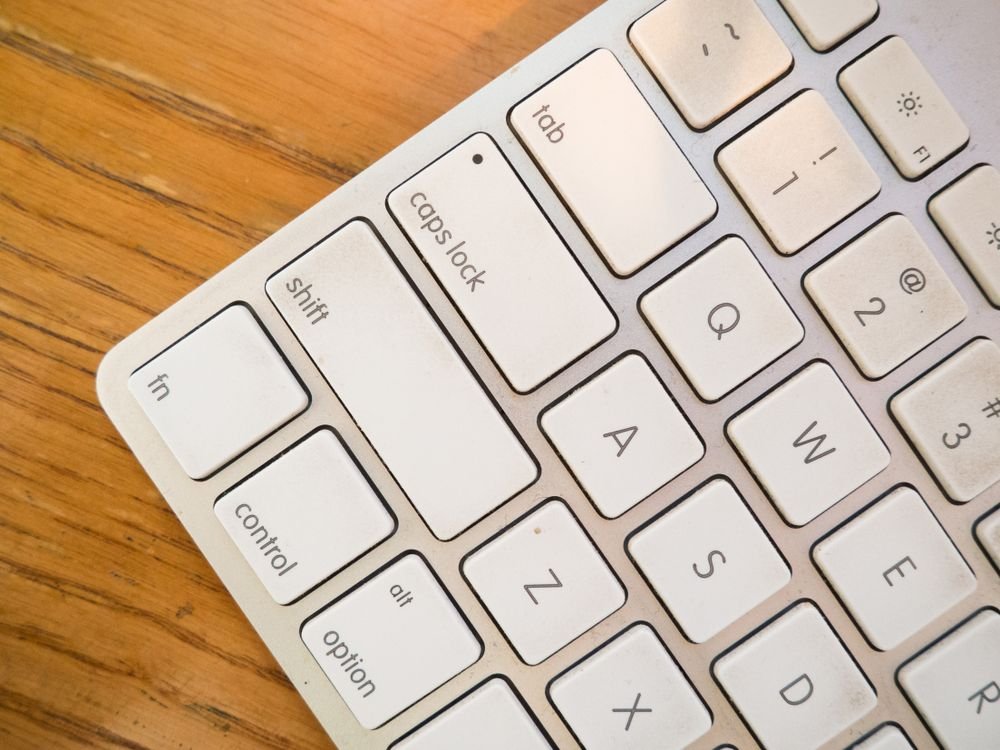
If your mechanical keyboard has started to look dusty, feel sticky, or sound crunchy under your fingers, you are not alone. Crumbs, dust, pet hair, and finger oils collect around and under the keys of every board that sees daily use. The good news is that you can clean a mechanical keyboard without removing keycaps, and the result comes surprisingly close to a full deep clean. This guide walks you through exactly how to clean a mechanical keyboard without removing keycaps, using simple tools you may already own, while keeping your switches, stabilizers, and key legends completely safe.
Many people never clean their keyboards simply because they are afraid of popping the keys off. That fear is understandable. Pulling keycaps the wrong way can bend stabilizer wires, crack stems, or leave you with a spacebar that rattles forever. The method below skips all of that. You will get your board looking and feeling fresh again in about fifteen to twenty minutes, with zero disassembly.
Why Clean Your Keyboard Without Pulling the Keycaps
Removing every keycap is the gold standard for a deep clean, but it is not always practical. There are plenty of good reasons to leave the caps exactly where they are.
- You do not own a keycap puller, and prying keys off with a screwdriver or knife is a fast way to scratch the plate or snap a stem.
- You have bent a stabilizer wire before, or you have heard the horror stories, and you do not want a rattly spacebar or enter key.
- You need the keyboard back in action today, not after a twenty four hour keycap drying session.
- You clean your desk regularly, so the buildup is light surface grime rather than years of neglect.
For light to moderate dirt, a no disassembly clean removes the vast majority of what bothers you: visible dust, crumbs, surface oils, and the shiny film that forms on heavily used keys. It will not reach the plate under the switches, but for a maintenance clean that is perfectly fine.
What You Will Need
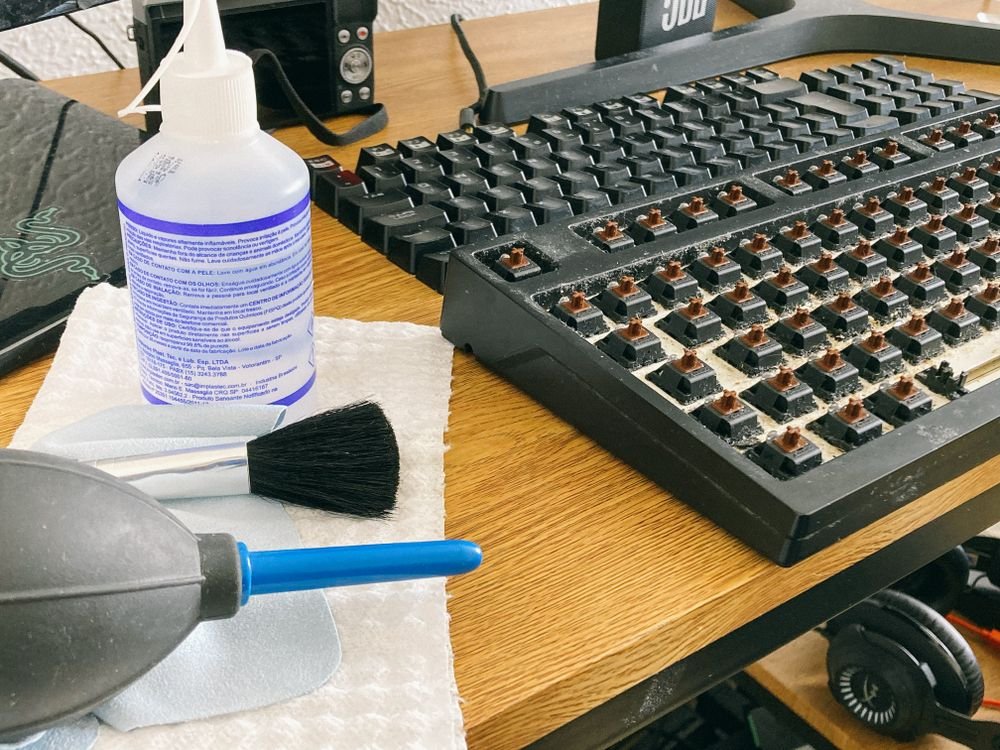
Gather these before you start. Most cost only a few dollars, and several probably live in your home already.
- A can of compressed air, or an electric air duster if you prefer a reusable option
- A soft brush, such as a clean makeup brush, a soft paintbrush, or a brush made for electronics
- Microfiber cloths, two of them if possible, one for cleaning and one for drying
- Isopropyl alcohol, 70 percent or higher, which evaporates quickly and leaves no residue
- Cotton swabs or foam swabs for tight gaps
- A handheld vacuum with a narrow nozzle, optional but helpful
- Packing tape or a lint roller for fine dust and hair
- Cleaning gel or cleaning putty, optional, for pressing into cracks
One important rule before we begin: never pour or spray any liquid directly onto the keyboard. Every wet step in this guide applies liquid to a cloth or swab first, never to the board itself.
How to Clean a Mechanical Keyboard Without Removing Keycaps, Step by Step
Work through these eight steps in order. Each one targets a different kind of grime, and together they cover everything a maintenance clean needs.
Step 1: Power Down and Unplug
Turn the keyboard off or unplug it from your computer. If it is wireless, switch it off and remove the batteries if they are easy to reach. Cleaning a powered board risks accidental keystrokes at best and a short circuit at worst if any moisture sneaks in. This takes ten seconds and protects everything that follows.
Step 2: Shake Out the Loose Debris
Hold the keyboard upside down over a trash can and give it a few gentle taps on the back. Tilt it at different angles so crumbs and larger particles fall out from between the keys. Do not slam it or shake it violently. A firm but controlled tap is enough to dislodge the loose stuff, and you will be surprised how much falls out even from a keyboard that looks clean.
Step 3: Blast Between the Keys with Compressed Air
Hold the compressed air can upright and use short bursts, not one long blast. Aim the nozzle at an angle between the rows of keys so dust blows out sideways instead of getting pushed deeper under the caps. Work row by row from one side of the board to the other. Keep the can upright at all times, because tilting it can release freezing liquid propellant that damages switches and leaves residue.
If you use an electric duster, the same technique applies: short angled passes, steady motion, and a trash can or open window nearby to catch what flies out. Gamers and heavy typists should pay extra attention to the WASD cluster and the spacebar, where grime builds fastest.
Step 4: Brush Every Row
Take your soft brush and sweep it along each row of keys, first horizontally and then vertically. The two directions matter because dust hides on both sides of every key. Use light pressure and let the bristles do the work. A brush reaches into the gaps that air alone misses and loosens dust that is lightly stuck to the sides of the keycaps. Tap the brush clean against the trash can every few rows.
Step 5: Wipe the Keycaps with Isopropyl Alcohol
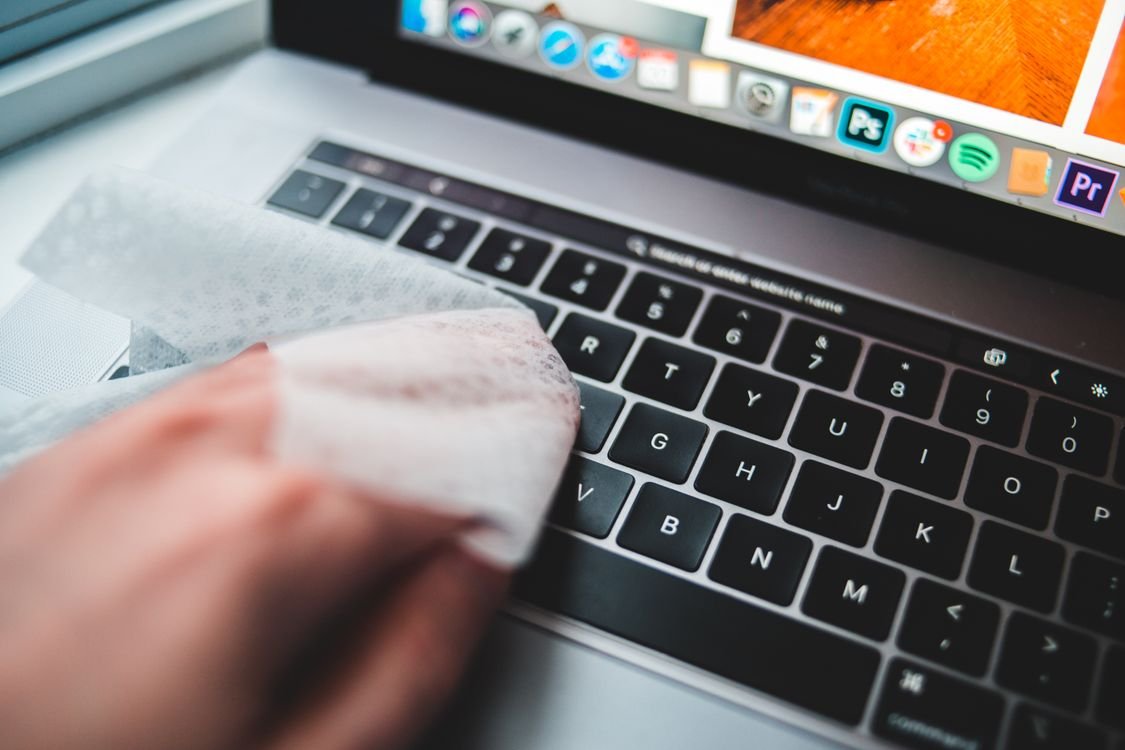
Lightly dampen a microfiber cloth with isopropyl alcohol. The cloth should feel barely moist, never wet. Wring it out if you can see any drips. Wipe the tops and sides of the keycaps, pressing each key gently as you go so you can reach a little of the side wall too. Alcohol cuts through finger oils and the shiny film on heavily used keys without harming the plastic legends, and it evaporates in seconds.
For RGB boards, wipe gently over the lit keys. The LEDs sit protected inside or below the switch housings, so a damp cloth on the keycap surface is perfectly safe. What you must avoid is any free flowing liquid near the gaps, so keep the cloth wrung out and never rewet it over the keyboard.
Step 6: Detail the Gaps with Cotton Swabs
Dip a cotton swab in isopropyl alcohol and squeeze off the excess against the bottle rim or a clean cloth. Run the swab along the gaps between keys, around the edges of larger keys like shift and enter, and into the corners where the brush could not reach. Replace the swab when it looks dirty. This step is slow but it is where the visible transformation happens, because the gaps hold the grime that makes a keyboard look old.
Step 7: Lift Fine Dust with Tape or a Lint Roller
Wrap a strip of packing tape around your fingers with the sticky side out, or use a lint roller, and press it lightly across the keycaps. This lifts fine dust, pet hair, and fibers that brushing and air left behind. It is especially useful if you share your home with a cat or dog, since hair weaves itself into keyboard gaps like it was designed to live there.
Step 8: Let It Dry, Then Test Every Key
Give the board a final pass with a dry microfiber cloth, then leave it unplugged for at least ten minutes so any trace of moisture evaporates. Plug it back in and open a text editor, then press every key to confirm each one registers. If a key feels gritty or sticks after cleaning, repeat the swab step on that switch. Persistent stickiness after a good clean usually means debris is trapped deep under the cap, which is one of the few honest signs that a full keycap removal is due.
Mistakes That Can Damage Your Keyboard
Most keyboard cleaning disasters come from three avoidable errors. Knowing them in advance keeps your board safe.
Spraying Liquid Directly onto the Board
Liquid that pools under the keycaps can seep into switch housings, where it causes corrosion, sticky switches, or short circuits on the circuit board. Always apply cleaner to your cloth or swab first. If you ever see liquid sitting on the keyboard surface, blot it up immediately with a dry cloth and leave the board upside down to drain and dry.
Using the Wrong Cleaning Chemicals
Bleach, ammonia based cleaners, window cleaner, and abrasive powders attack keycap plastic. They can strip printed legends, dull the finish, and in the case of ABS plastic, speed up the yellowing process. Stick to isopropyl alcohol or a cleaner made specifically for electronics. Mild dish soap diluted in water works for cloth dampening in a pinch, but alcohol evaporates faster and is the safer choice.
Holding the Air Can Upside Down
This is the single most common compressed air mistake. An inverted can sprays freezing liquid propellant instead of air, which can crack plastic, damage switch contacts, and leave a residue that attracts more dust. Keep the can upright, use short bursts, and pause if the can gets very cold. Let it warm back up before continuing.
A Simple Maintenance Schedule That Keeps Dust Away
Cleaning your keyboard once is good. Keeping it clean with a tiny routine is better, because light regular attention prevents the heavy buildup that eventually forces a full disassembly.
- Daily: wash your hands before long typing sessions and keep food and drinks a safe distance from the desk.
- Weekly: give the board a quick upside down shake and a brush over the rows. Two minutes, done.
- Monthly: run the full eight step routine above, including the alcohol wipe and the swab detail.
- Quarterly: inspect the cable and USB connector for wear, and consider whether the board has earned a full keycap removal deep clean.
A dust cover or even a clean towel draped over the keyboard overnight makes a visible difference, especially in dusty rooms or homes with pets. And if you enjoy keeping your whole setup in good shape, the same dust that settles in your keyboard also settles inside your PC. Our guide on why a laptop gets hot and shuts down explains how dust buildup causes overheating, while our piece on why a TV keeps disconnecting from wifi covers another common tech headache with simple fixes you can try at home.
When You Should Remove the Keycaps After All
Honesty matters here. The no removal method handles maintenance beautifully, but it has limits. Consider pulling the keycaps when you notice any of these signs.
- A spill has reached under the keys, especially sugary drinks or coffee, which leave residue that surface cleaning cannot dissolve.
- One or more keys stick or feel crunchy even after the swab treatment, which means debris is trapped inside the switch housing.
- You can see a visible layer of dust on the plate when you look between the keys at an angle.
- It has been more than a year since the last deep clean and you use the board for several hours every day.
When that day comes, use a proper wire keycap puller, pull straight up with gentle even force, and photograph the layout before you start so every cap goes back in the right place. Until then, the eight steps above will keep your board clean, quiet, and pleasant to type on.
Conclusion: A Cleaner Keyboard in Under Twenty Minutes
Learning how to clean a mechanical keyboard without removing keycaps gives you the best of both worlds: a board that looks and feels fresh, with none of the risk or waiting time of a full disassembly. Unplug and shake out the loose debris, blast the gaps with compressed air, brush every row, wipe the caps with lightly dampened isopropyl alcohol, detail the gaps with swabs, lift the last fine dust with tape, and let everything dry before you plug back in. Follow the monthly routine and your keyboard will stay clean enough that a deep clean becomes a rare event instead of a dreaded chore. Your fingers will notice the difference the very next time you sit down to type.
Frequently Asked Questions
Can I clean my keyboard without removing the keycaps?
Yes. For regular maintenance, you absolutely can. Compressed air, a soft brush, and a microfiber cloth lightly dampened with isopropyl alcohol remove the vast majority of surface dust, crumbs, and finger oils. A full keycap removal is only needed for deep cleans, spills, or stubborn stuck keys.
Is isopropyl alcohol safe for keyboards?
Yes, when used correctly. Use 70 percent or higher isopropyl alcohol applied to a cloth or swab, never poured onto the board. It evaporates quickly, leaves no residue, and is safe for keycap plastics and legends. Avoid bleach, ammonia, and abrasive cleaners, which damage plastic.
Can you vacuum a mechanical keyboard?
Yes, a handheld vacuum with a narrow nozzle works well for sucking up loose debris from the surface and between keys. Use low suction and keep hard plastic nozzles from scraping the keycaps. Vacuum before the alcohol wipe so you are not dragging dust across damp keys.
How do you get crumbs out from under keys?
Turn the keyboard upside down and tap it gently over a trash can, then blast short bursts of compressed air at an angle between the rows. The combination of gravity and angled air dislodges most crumbs without any disassembly. A soft brush finishes the job.
How often should I clean my mechanical keyboard?
Do a quick shake and brush weekly, and run the full eight step routine monthly. If you eat at your desk or share your space with pets, clean more often. A full keycap removal deep clean once a year is plenty for most users who keep up with the routine.
